Showing posts with label intermediate. Show all posts
Showing posts with label intermediate. Show all posts
Monday, 8 March 2010
Making Life Easier: Automatic Processing of Multiple Files
View Comments
Labels:
automation,
Elements,
intermediate,
Photoshop,
saving,
transforming
Every now and again I'll hear the problem over twitter: "I need to (something) (a big number of) files!!" Thankfully, both Adobe Photoshop (CS2 and above for this tutorial) and Photoshop Elements have built-in commands that enable you to automatically process a big (or even small) batch of files so you can do more important things than sit in front of a computer all day. I'll walk you through the easiest ways to do this. Take note that in Photoshop, there are more advanced ways to batch-process files, but for now we'll use the one that takes the least effort for basic tasks. Click here to go to the Elements tutorial.

Friday, 26 February 2010
The Powerful Layer Mask Tool
View Comments
Labels:
basic,
composites,
Elements,
intermediate,
Photoshop
Next to adjusting colors and contrast, the most-used tool for me would probably be the Layer Mask Tool. The Layer Mask is a method for making areas of a layer selectively transparent or opaque (and varying degrees of transparency in between). It's the tool that finds use for very fine adjustments to small areas of your image, to making composites of images -- everything from cheesy portraits inside a brandy snifter to amazing image transformations ). Right now we'll deal with everything you need to know about the Layer Mask Tool. It's so threaded into the image-editing process that it has to be taught, I feel, before most anything else.
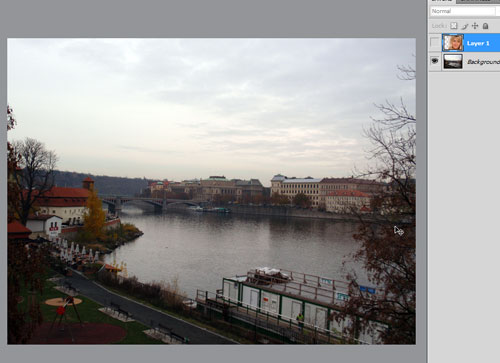
I'll start with an image with two layers. (Feel free to follow along or experiment by creating an image with any two layers you want to combine.) Here's the bottom layer:
and here's the top layer:
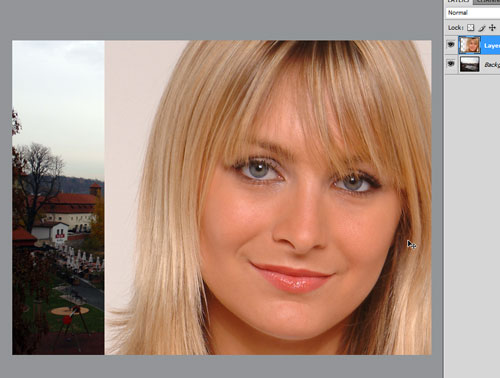
(You already know this is going to be cheesy.)
). Right now we'll deal with everything you need to know about the Layer Mask Tool. It's so threaded into the image-editing process that it has to be taught, I feel, before most anything else.I'll start with an image with two layers. (Feel free to follow along or experiment by creating an image with any two layers you want to combine.) Here's the bottom layer:
and here's the top layer:
(You already know this is going to be cheesy.)
Subscribe to:
Posts (Atom)


